
TeraBox Downloader — Download & Play Videos Without Login 2026
TeraBox Downloader & Player
Paste your TeraBox link to watch videos online or download files instantly.
A TeraBox link shows up in your chat, you tap it expecting to watch the video, and instead you are greeted by a login screen. That can be frustrating when you only want to view or download a shared file without creating another account. With a TeraBox downloader, you can paste the supported share link into the tool and access the available file directly, without going through an unnecessary sign-up process.
Download and Play TeraBox Videos in Seconds
A slow TeraBox download can have several causes, including network conditions, server response times, browser issues, or the way the file is processed before reaching your device. A reliable TeraBox downloader should keep the process simple, avoid unnecessary waiting steps, and give you a clear way to play or download the available file after you paste the share link. This makes the experience easier to use, especially when you only want to access a shared video without dealing with countdowns, repeated redirects, or unnecessary steps.
What is TeraBox Downloader?
TeraBox is a cloud storage service run by Flextech, and new accounts get up to 1TB of free space, which is more generous than most other storage apps offer for free, so it’s easy to see why people lean on it. Once you upload a video or document, TeraBox creates a share link that anyone can open, and that’s really the whole point of the platform. People end up using it for all kinds of everyday reasons, like backing up phone photos, storing big video files their device can’t hold on its own, or sending things to coworkers without running into the size limits email usually sets.
Where a Downloader Fits In
TeraBox links a file to an active login session instead of making shared links fully public, and that’s the part that catches people off guard, since even a casual video someone forwards ends up asking for an account before it will play. A TeraBox downloader removes that step entirely, so pasting the share link makes the file viewable right away, pulled through TeraBox’s own system using the public data already tied to that link, just without the sign-in wall standing in front of it.
If you only need to open a shared link without installing the app, see our guide on how to open a TeraBox link without the app.
How to Download TeraBox Videos Online
Using a TeraBox downloader only takes four steps: copy the link, paste it in the box, click play or download, and let it land in your usual downloads folder, all without needing to install an app or make an account first.
Copy the Share Link
Copy the complete TeraBox share link from your chat, social post, or TeraBox sharing page. Make sure the URL is not truncated or changed before you paste it into the downloader, as an incomplete link may not work correctly.
Paste It Into the Tool
Paste the complete TeraBox link into the downloader. The tool checks the link and displays the available file details, helping you confirm that you have the correct file before downloading.

Choose Play or Download
If you’re unsure about the video, play it first to check the content before saving it to your device. Once the file is available, you can choose between the Play and Download options.
Save or Enjoy Instantly
Once the file is ready, you can either stream the video or download it to your device. On Android, Chrome usually saves downloads in the Downloads folder, while Safari on iPhone stores them in the Files app; desktop downloads are saved according to your browser settings.
Note: If you want a more detailed walkthrough, see our guide on downloading TeraBox files without login.
Key Features of TeraBox Player & Downloader
Here’s what makes this TeraBox downloader worth using: there’s no login screen standing between you and your file, no forced app install taking up space on your phone, and downloads that actually run at your real internet speed instead of some artificially slowed-down version of it.
HD and 4K Quality Preserved
The downloader does not need to reduce the quality of a video simply because it is being downloaded. If the original file is available in 1080p or 4K, the downloaded version can retain that source quality, provided the file is transferred without converting the video.
No Login Required
You don’t need to create an account just to access a shared video or file. A TeraBox downloader lets you paste a supported share link and continue directly to the available file, making the process more convenient when you only want to watch or download something someone has shared with you.
Full-Speed Downloads
Download speed can vary depending on your internet connection, network conditions, file size, and the availability of the source file. For larger videos or folders, a stable connection can help maintain a more consistent download speed and reduce interruptions during the transfer.
No Files Stored
Files are not stored on our servers after the download or streaming request is completed. The tool processes the shared link for the requested action rather than keeping a copy of the file, helping reduce unnecessary data retention.
Works Across Domains
TeraBox links may use domains such as terabox.com, teraboxapp.com, 1024tera.com, and freeterabox.com. This downloader supports recognized TeraBox domains, so you can paste the available share link without changing its URL.
Built-In Video Player
If a friend sends you a video without much context, you can play it directly in the browser before downloading it. This lets you check the content first and avoid using storage space for a file you may not actually need.
Why Choose Our Tool?
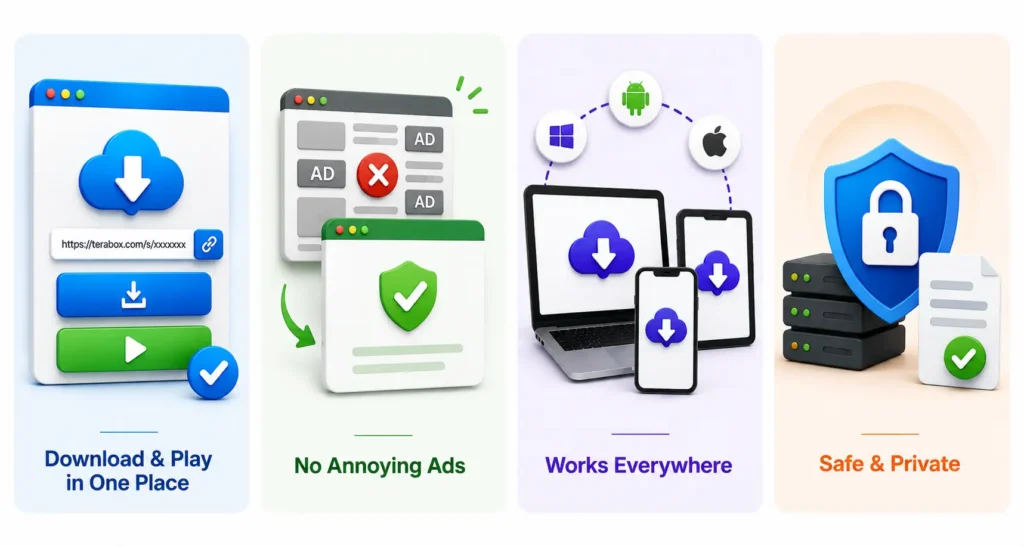
A simple downloader should make it easy to access a shared TeraBox file without unnecessary redirects or extra steps. This tool keeps the process straightforward, letting you paste a supported link and access the available file from the same page. It also avoids the long countdowns and multiple ad pages that can make some free download sites frustrating to use.
Supported Devices
Access the TeraBox downloader from modern browsers on mobile, tablet, and desktop devices without installing a separate app.
Android
Open the downloader in your browser and download supported files directly to your device.
iPhone
Use the downloader through Safari or another supported browser without installing an additional app.
Desktop
Access the tool from your computer and save files to your browser’s configured download location.
TeraBox Downloader vs Other Downloader
There are many reasons why our downloader is better than the other available tools, such as allowing you to play the video before downloading without logging in and many more features. Take a look at the table below for better understanding.
| Feature | Our TeraBox Downloader & Player | Typical Other Downloaders |
|---|---|---|
| Login Required | ✓ No account required | Login or app access may be required |
| Ads & Redirects | ✓ Clean download and playback experience | Ads, pop-ups, or redirects may appear |
| Countdown Timers | ✓ No unnecessary countdowns | Countdown timers may be used |
| Video Player | ✓ Built-in player for supported videos | Player availability varies |
| Download | ✓ Download supported files directly | Download options vary |
| Video Quality | ✓ Preserves the available source file | Quality handling varies by service |
| Mobile Support | ✓ Works in mobile and desktop browsers | Mobile support varies |
| Supported Domains | ✓ Supports recognized TeraBox domains | Domain support varies between tools |
| File Storage | ✓ Files are not stored after processing | Storage and retention policies vary |
Supported TeraBox Link Formats
Use a supported TeraBox share link from any of the domains below. Just copy the link and paste it into the downloader.
Supported File Types
This TeraBox downloader supports common video, document, image, and archive formats for different types of shared files. Check the available file types before downloading, and play supported videos directly in the browser.
Video Files
Documents
Images
Archives
Troubleshooting & Solutions
A TeraBox download may fail for several reasons, such as an expired link, connection problem, unsupported playback, or restricted access. The steps below cover some of the most common issues and what you can try before using another link.
Link Shows Expired or Not Found
The shared file may have been removed, the link may no longer be active, or the owner may have created a new share link. Open the original TeraBox link first to check whether the file is still available.
Download Starts but Stops
A download can slow down or stop because of an unstable connection, network congestion, or other downloads running at the same time. Check your connection, pause other downloads, and try the file again.
Video Does Not Play
If the file downloads successfully but does not play in your browser, the video format or codec may not be supported. Try updating your browser or open the downloaded file with a media player that supports its format.
Password-Protected Link Does Not Open
A password-protected file requires the password provided by the file owner. Enter the password on the original TeraBox page first, then try accessing the shared file again.
Folder Link Shows Missing Files
Large folders or folders with multiple subfolders may not display every item immediately. Refresh the page and check the original TeraBox link to confirm whether the missing files are still available.
For more detailed solutions, see our guide on why a TeraBox link may not be working.
Frequently Asked Questions
Conclusion
TeraBox works well for storing and sharing files, but accessing a shared link can sometimes add an unnecessary step. TeraBox downloader keeps the process simple by giving you one place to paste the link, check the file, play supported videos, or download the available content. If a link does not work as expected, the troubleshooting steps above can help you identify the most common causes. The tool is designed to provide a straightforward experience across desktop and mobile browsers, without making you work through unnecessary steps.