How to Download TeraBox Files Without Login: Complete Guide 2026
You open a TeraBox link someone has shared with you, expecting the file to open, but a login screen or app installation prompt appears instead. If you only need to access one shared file, creating an account just for that can be an unnecessary extra step. Download TeraBox files without login when the shared link is publicly accessible, without creating an account first. This guide explains how to download TeraBox files without login, why TeraBox may ask you to sign in, and what to check when a link does not work. It also covers supported file types, common limitations, safety considerations, and the steps involved in accessing a shared file.
Can You Download TeraBox Files Without Login?
Yes, publicly shared TeraBox files can often be accessed without creating an account, depending on the sharing settings. A public share link is designed to give access to people who have the link, so you may not need to sign in just to view or download the available file. A browser-based downloader can use a supported public TeraBox link to retrieve the available file without requiring you to open the TeraBox app or create an account first. However, private, restricted, or password-protected links may still require the appropriate access.
Why Does TeraBox Ask You to Sign In?
You can use a browser instead of installing the TeraBox app, which is convenient when you only need to access a shared file. If you want to access a shared link without using the official app, see our guide on How to Open a TeraBox Link Without the App.
Public vs Private Share Links
The main difference is how much access the file owner has given to others. A public link can generally be opened by anyone who has the URL, while a private or restricted share may require additional permission or authentication. Password protection can also add another access step, so not every TeraBox link can be downloaded without logging in.
When Login Is Required
Login may be required when a file is shared privately, restricted to certain users, or protected by a password or other access setting. You also need an account for actions such as uploading your own files and managing your TeraBox storage. For a publicly shared file that does not require additional access, however, creating an account may not be necessary.
How to Download TeraBox Files Without Login
If the shared link is public, you can download TeraBox files without login by following a few simple steps. The process starts with the original share URL and takes you from copying the link to saving the available file on your device.
Copy the TeraBox Share Link
Copy the complete URL from WhatsApp, Telegram, email, or TeraBox. Check that no part of the address is missing, as an incomplete link may not work.
Paste the Link into the Downloader
Paste the URL into the downloader’s input box. If the link is supported, the available file information, such as its name and type, will appear so you can identify the content.
Preview the File
For supported videos, use the built-in player to check the content before saving it. This is useful when you are unsure what a shared link contains.
Download the File
Select the download option to save the file. Your browser determines where it is stored, while the download time depends mainly on the file size and your connection.

Benefits of Downloading TeraBox Files Without Login
The main benefits of being able to download TeraBox files without login are convenience, fewer setup steps, and easier access to shared content.
No Account Needed
The ability to download TeraBox files without login means you do not need to create a TeraBox account just for a publicly shared file.
No App Installation
You can use a browser instead of installing the TeraBox app, which is convenient when you only need to access a shared file occasionally.
Save Time
The basic process involves copying the share link, pasting it into the downloader, and starting the download. This avoids extra steps such as account creation or app installation when they are not needed.
Watch Before Downloading
For supported videos, you can preview the content in the browser before saving it. This helps you check whether the file is the one you need.
Works on Mobile and Desktop
The same basic process works across supported browsers on Android, iPhone, Windows, and Mac. The main difference is where each browser saves the downloaded file.
What Can You Download Without Login?
The type of file you can download depends on what has been shared and what TeraBox downloader supports. Common TeraBox shares can include videos, images, documents, compressed archives, and other file formats.
Videos
MP4, MKV, and MOV files can be downloaded when supported. For videos that can be played in the browser, previewing them first lets you check the content before saving the full file. If you specifically want to stream or save TeraBox videos, see our guide on Download TeraBox Videos Online.
Photos
JPG, PNG, and other common image formats can be downloaded when supported. The downloaded image follows the source file available through the shared link.
Documents
PDFs, Word files, spreadsheets, and other documents can be downloaded for use on your device. Whether a document can be previewed in the browser depends on its format and the features supported by the downloader.
ZIP and RAR Files
ZIP and RAR files are downloaded as archive files. Their contents generally cannot be previewed before downloading, so you need to save the archive and extract it on your device afterward.
APK Files
APK files can also be downloaded when supported, but they require extra care because they are Android installation packages. Only open or install an APK when you trust the source and know what the file contains.
When Downloading TeraBox Files Without Login May Not Work
Although you can often download TeraBox files without login, some links have restrictions that prevent access without additional permission. The result depends on the file’s sharing settings and whether the original link is still active.
Private Links
Private or restricted files may require access granted by the file owner. A downloader cannot remove those restrictions or provide access to content that is not publicly available.
Password-Protected Files
Some shared links may be protected with a password. You need the correct password before the file can be accessed. If the link remains restricted after authentication, the downloader may not be able to retrieve it.
Expired Share Links
A shared link may stop working if it has expired or is no longer active. When that happens, changing the downloader will not restore access. Ask the sender for a new share link if the original one is no longer valid.
Deleted Files
If the file owner deletes the shared file, the original link may no longer lead to the content. In that situation, the practical solution is to ask the sender to share the file again.
Common Mistakes When Downloading Without Login
Most problems come from a few simple mistakes, especially when the shared link is incomplete, inactive, or restricted. Checking the link and its access settings first can save you from unnecessary retries.
Incomplete Share Link
A URL that has been cut off or copied incorrectly may not be recognized. Make sure you copy the complete TeraBox link before pasting it into the downloader.
Expired or Inactive Link
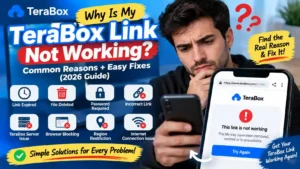
If the shared link is no longer active, retrying the same URL will not fix the problem. In this case, you need a new link from the person who shared the file. If you’re having broader issues with a TeraBox link, see Why Is My TeraBox Link Not Working? for more troubleshooting steps.
Private File
A privately shared file may require permission or login from the account that has access. A downloader cannot remove those restrictions, so confirm that the file was shared publicly.
Browser Download Permissions
On some mobile devices, browser permissions can prevent files from being saved correctly. If the download starts but the file does not appear, check your browser’s download or storage permissions in the device settings.
Common Problems and Solutions
Even with a valid public link, a few issues can affect the download or playback. Here are the most common ones and what to try first.
The Downloader Still Asks for Login
Check whether the shared link requires additional access. Private or restricted links may not work without the permissions provided by the file owner.
The Download Stops Before Finishing
An unstable connection can interrupt a download. Check your internet connection, pause other active downloads, and try again.
The Video Won’t Play
The browser may not support the video’s format or codec. Try updating your browser or open the downloaded file with a compatible media player.
The Downloaded File Won’t Open
The file may require a specific application or may not have downloaded completely. Check the file extension and try downloading it again if the file appears incomplete.
The Downloaded File Is Missing
Check your browser’s default download location. On mobile, downloaded files may also appear in the device’s Downloads folder or Files app depending on the browser and operating system.
Is It Safe to Download TeraBox Files Without Login?
Downloading a publicly shared TeraBox file without an account does not automatically make the file safe. The main thing to consider is where the file came from and what it contains, especially when the sender or source is unfamiliar. A downloader can retrieve the file from a supported public link, but it cannot guarantee that the content itself is harmless. Treat TeraBox downloads like any other files received online, and scan unfamiliar files before opening them. Take extra care with APK files, as installing apps from outside official app stores carries additional security risks.
Frequently Asked Questions
Conclusion
When the link is publicly accessible, download TeraBox files without login without creating an account or installing an app. A browser-based downloader can make it easier to check supported content, preview videos, and save the file you actually need. If something does not work, start by checking the link itself and whether the file is publicly accessible. For most valid shares, the process is simple: use the link, check the available content, and download it to your device when you’re ready.