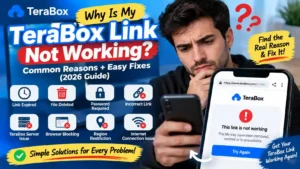
How to Open a TeraBox Link Without the App in 2026
Someone sends you a TeraBox link, and when you open it on your phone, you are asked to install the app before you can access the file. If you only want to watch a shared video, view an image, or download a document, installing another app can feel unnecessary. If you’re looking for how to open a TeraBox link without the app, you can often access the shared file through a regular web browser instead. In this guide, you’ll learn how to open a TeraBox link without the app on Android, iPhone, and PC, along with what to do if TeraBox keeps sending you to the app or the link does not open properly.
Can You Open a TeraBox Link Without the App?
Yes, most public TeraBox links can be accessed without installing the official app. The problem is that TeraBox may push mobile users toward the app when they open a shared link, even when they only want to view, download, or play the file. If you are searching for how to open a TeraBox link without the app, our TeraBox Downloader lets you access supported files through your browser, while the TeraBox Player lets you play supported videos online. This gives you a simple alternative when you do not want to install the app just to access a shared file or watch a video. Private, expired, deleted, or restricted links may still require access from the original TeraBox account or file owner.
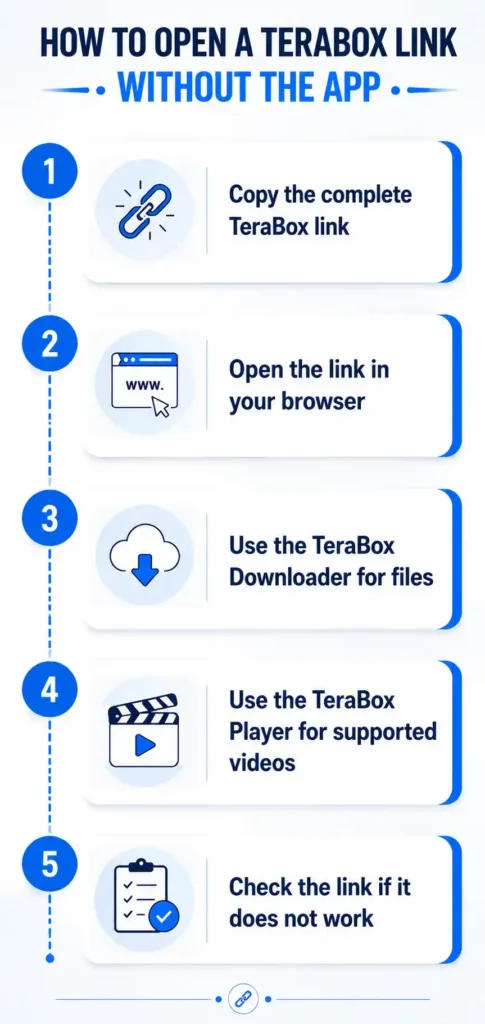
How to Open a TeraBox Link Without the App
You can open a TeraBox link from any modern browser without installing the official app. If you want to download a file, you can use our TeraBox Downloader, while supported videos can be opened with our TeraBox Player. These steps cover how to open a TeraBox link without the app, whether you want to access a file or watch a supported video.
Copy the complete TeraBox link
Make sure you copy the entire TeraBox URL exactly as it was shared. A missing character can prevent the link from opening correctly, especially when the link has been copied from a messaging app.
Open the link in your browser
Launch Chrome, Safari, Firefox, or another browser and paste the TeraBox link into the address bar. Using the browser directly helps you access the shared link without depending on the TeraBox mobile app.
Use the TeraBox Downloader for files
If the link contains a file you want to save, enter the link into our TeraBox Downloader and use the available download option. This is useful when you want to download the shared file without installing the official TeraBox app.
Use the TeraBox Player for supported videos
If you only want to watch a video, you can use our TeraBox Player instead of downloading the file first. The player lets you play supported TeraBox videos through your browser without installing the official app.
Check the link if it does not work
If the link fails to open or the file cannot be accessed, check that the URL is complete and still active. An expired, deleted, private, or restricted link may not work through the browser, Downloader, or Player.
Opening a TeraBox Link on Android, iPhone, or PC
The basic method for how to open a TeraBox link without the app is similar across Android, iPhone, and PC, but the browser experience can differ from one device to another.
Android
On Android, Chrome can open TeraBox links directly, although you may sometimes be redirected toward the TeraBox app or Google Play Store. If that happens, go back to the browser and open the link again. You can also try Firefox or another Android browser if the redirect continues, as different browsers may handle the TeraBox web page differently.
iPhone
On iPhone, Safari can usually open shared TeraBox links through the browser. If the link redirects you to the App Store, return to Safari and try opening it again. You can also test the same link in Chrome or Firefox for iPhone. If the page does not display correctly, enabling the Request Desktop Website option can provide the desktop version of the TeraBox page.
PC
Opening a TeraBox link on a PC is generally more straightforward because you can use the full web interface directly in your browser. Chrome, Firefox, Edge, and other modern browsers can be used to access shared links without installing the TeraBox app. If a link does not open on a PC, the problem is more likely related to the link, file, browser, or access permissions rather than the missing app.
Why Does TeraBox Push You Toward the App?
TeraBox may encourage mobile users to install its app because some features work better or are available only through the app. The mobile website is designed for a smaller screen, while the app can provide additional options for managing files, downloads, syncing, and offline access. Browser support can also affect the experience. Depending on the device and browser, some TeraBox pages or file features may not work as smoothly as they do in the app. This can lead to an app-install prompt even when the shared link itself can still be accessed through a browser.
If you only need to open a public link, view a file, download supported content, or play a supported video, installing the app may not be necessary. The browser can be enough for these basic tasks, while the app becomes more useful when you need features that are not available through the web version.
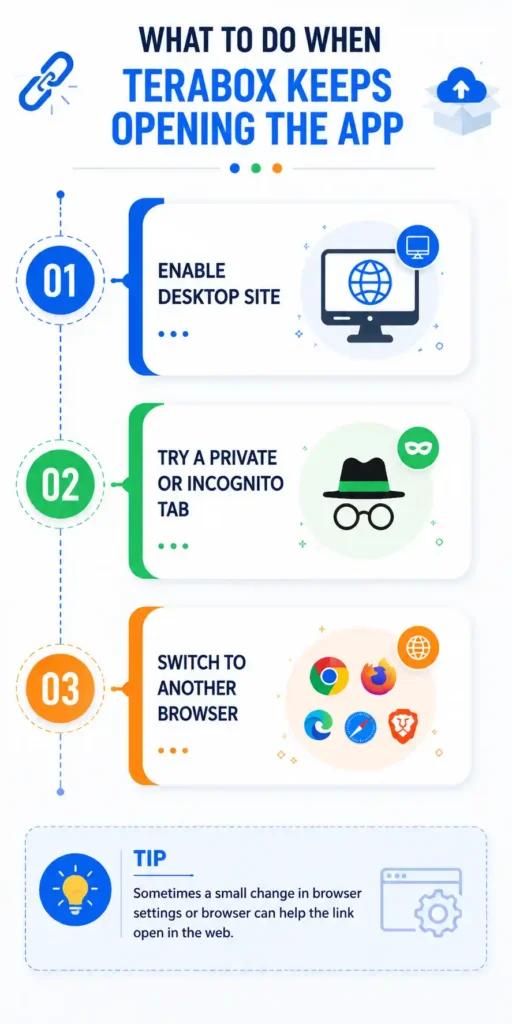
What to Do When TeraBox Keeps Opening the App
If TeraBox keeps sending you to the app instead of opening the shared link in your browser, try these options in order. Each one addresses a different reason why the browser page may not load as expected.
Enable Desktop Site
Open your browser menu and select Desktop Site on Android or Request Desktop Website on iPhone. This loads the TeraBox page in a desktop-style layout, which can avoid mobile-specific app prompts. After enabling the option, refresh the page and open the link again.
Try a Private or Incognito Tab
Open a private tab in Safari or an incognito window in Chrome and paste the TeraBox link again. This gives you a fresh browsing session and can help when stored browser data is affecting how the page loads.
Switch to Another Browser
If the link continues to open the app, try a different browser such as Chrome, Firefox, Safari, Edge, or Brave. Browser behavior can vary, so changing browsers may allow the TeraBox web page to load normally.
Can You Open a TeraBox Link Without Logging In?
Yes, a public TeraBox share link can often be opened without signing in to an account. If the shared file is publicly accessible, you can usually view or access it through the browser without creating a TeraBox account first. Some links may still require you to log in. This can happen when the file owner has limited access or when the requested action requires an account.
If TeraBox shows a login screen for a specific link, the restriction is connected to that share rather than the browser or the missing app. In that case, you will need to sign in with a TeraBox account to continue.
Can You Watch a TeraBox Video Without the App?
Yes, you can watch supported TeraBox videos without installing the official app. If TeraBox asks you to install the app or the video does not play properly in the browser, you can use our TeraBox Player to watch supported videos online instead. This is useful when you only want to watch a shared video and do not need to download the file. The player provides a browser-based option for how to open a TeraBox link without the app and watching the video without installing another application. If a video still does not play, the link may have expired, be restricted, or the file may no longer be available.
If you want to learn more about watching TeraBox videos in your browser, see our guide on How to Play TeraBox Videos Online.
My TeraBox Link Won’t Open in the Browser — What Now?
A TeraBox link may fail to open because it has expired, the file was deleted, or the link requires a password or permission. A browser issue can also stop the page from loading correctly. First, check that the full link was copied correctly. Then try opening it in a private tab or another browser. If the link still does not work, ask the sender whether the file is still available and whether it requires a password.
If you want to find the exact cause, read our guide on why a TeraBox link is not working for detailed troubleshooting.
Is It Safe to Open a TeraBox Link in a Browser?
Opening a TeraBox link in a browser is generally safe when you use the official website or a trusted browser-based tool. This is also the simplest approach if you are learning how to open a TeraBox link without the app and want to avoid installing unnecessary software. Before opening or downloading a file, check the website address and make sure it uses HTTPS. Never enter your TeraBox password on an unknown website, and avoid any page that asks you to install an extension or unrelated software to access a shared file. If a public link requires unnecessary account details, close the page and use a trusted option instead.
Frequently Asked Questions
Conclusion
You usually do not need the TeraBox app just to access a public shared link. If you’re trying to figure out how to open a TeraBox link without the app, a browser, our TeraBox Downloader, or our TeraBox Player can provide a convenient alternative for supported files and videos. Most public links can be accessed without signing in, but expired, deleted, private, or restricted links may still require additional access. If the browser keeps redirecting you to the app, trying Desktop Site mode or another browser can often help.